Choose V2 (Beta) or V1
Choose the video creation experience for new work, understand the Pro and YOLO labels, and keep existing projects in their original experience.
Written By Anish Muppalaneni
Last updated About 2 hours ago
Read before this
Use V2 (Beta) to review a script and production plan, generate a preview, and revise the video in the same conversation. Use V1 when you want to continue with the previous creation experience or its editing workflow.
Before you start
Sign in to ngram. Creating and revising videos uses credits. The experience names describe how you work; Pro in V2 – Pro is not a new subscription-plan name.
Choose an experience for new work
- Open Home.
- Use the V1 / V2 switch above the video prompt. Choose V2, marked Beta, or V1.
- Check the selected experience before submitting your brief.
- Create the video and continue in that conversation.
The switch saves your preference for new work. Existing conversations retain their original experience; switching does not convert a V1 project into a V2 project.
Understand the labels
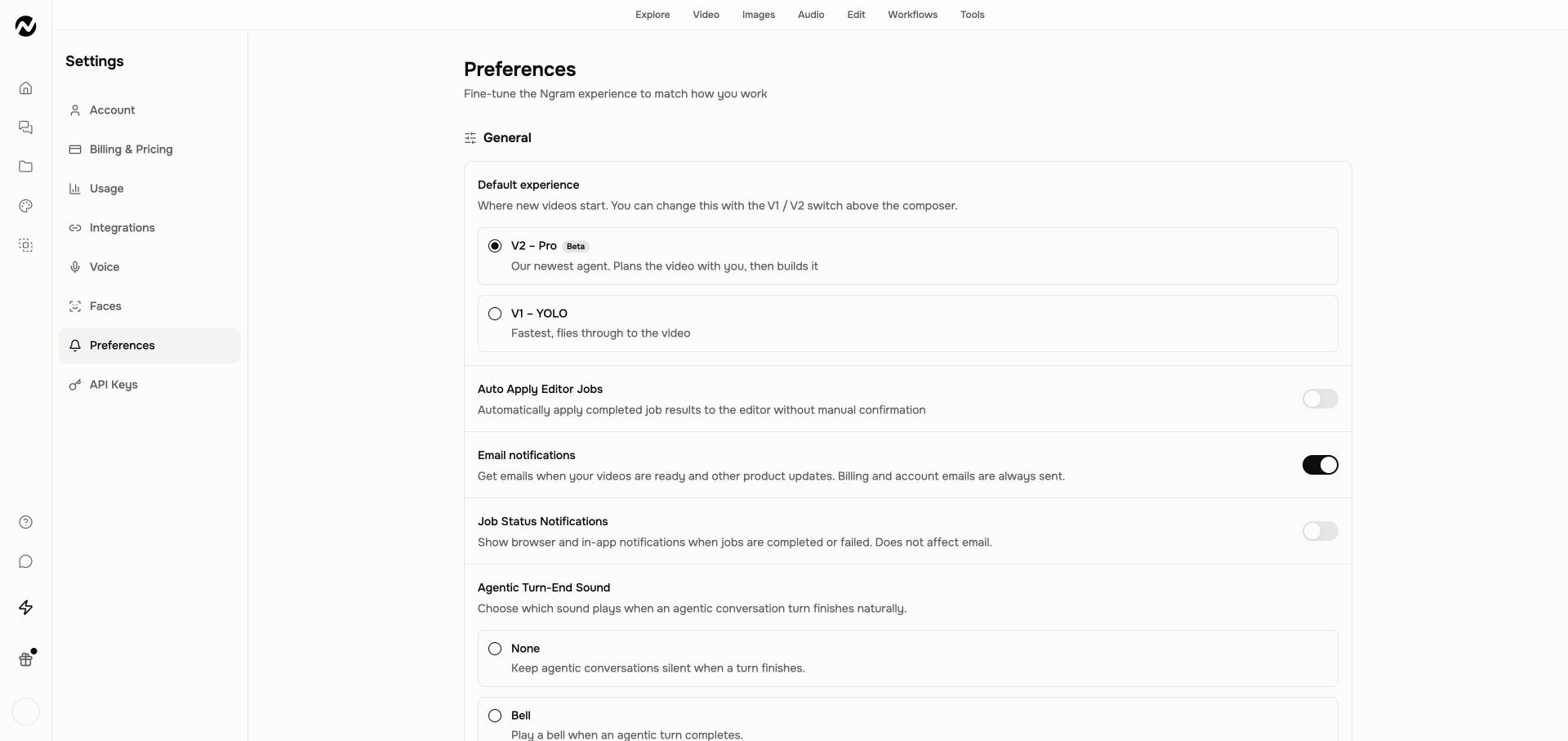
Home uses V1 and V2 (Beta). Default experience in Settings → Preferences uses V1 – YOLO and V2 – Pro. V2 includes a plan-review step with Request changes and Approve plan. Older references to a PRO approval mode inside V1 describe the previous mode system, not a third current experience.
Change the default from settings
- Open Account and teams.
- Choose Account & Settings, then Preferences.
- Under Default experience, select the experience you want for new videos.
If the page opens in V1
A tool or template link can open a V1 workflow even when V2 is your default. Return to Home for the experience switch. To continue an older project, open its saved conversation instead of starting it again.
If a switch fails, keep your brief and confirm the selected experience before submitting. Avoid sending the same creation request twice.
Move from V1 to V2 without losing track of existing work
Keep going
- Create your first video — Create a first ngram video from the current Home and agentic workflow.
- Review scripts and storyboards — Review the pre-start script or storyboard approval step and the finished scene plan.
- Understand credits — Understand credit estimates, reservations, charges, plan grants, top-ups, and auto top-up.
- Move from V1 to V2 — Start new V2 work while keeping existing V1 projects available.
Continue in ngram
Open the relevant Studio surface and follow the current controls shown in your account.