Use Deep Research
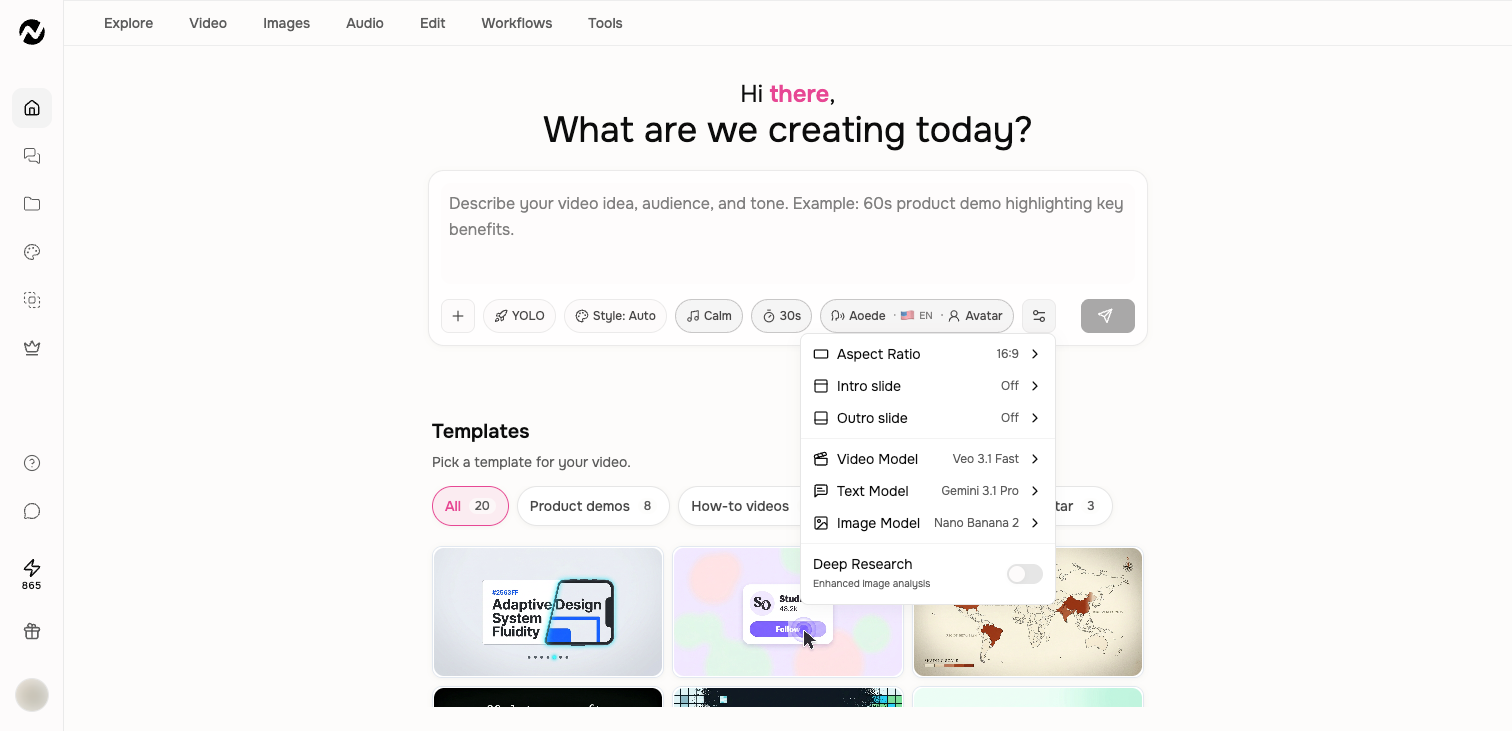
Turn on Deep Research when image-heavy source material needs a more intensive visual-analysis pass than the normal workflow.
Written By Rishikesh from ngram
Last updated 12 days ago
Read before this
Choose the matching experience
This guide describes the V1 workflow and its available controls. For V2 (Beta), start from Home, review the plan, and request revisions through chat or Make changes. Do not assume the V1 controls shown here are available in V2.
Before you start
Sign in and open Home before changing creation settings. The choices visible can depend on the source, video type, account, and plan. Gather permitted sources and check the displayed credit estimate before a large or high-stakes run.
What the setting does
Normal source handling reads usable text and visual context. Deep Research increases the analysis applied to images in uploaded files, image-heavy PDFs, and webpages. It is a visual-source setting, not a promise of unrestricted web research or guaranteed factual accuracy.
When to turn it on
- A product or landing page contains important screenshots, diagrams, or visual details.
- A PDF or document uses charts, layouts, or images that carry meaning beyond selectable text.
- The video needs better visual grounding than pasted text alone provides.
- You have attached images whose relationships or details should influence the story.
What it does not replace
Deep Research is not permission to invent facts or use restricted material. Supply approved sources for private, regulated, or time-sensitive claims. It does not guarantee that a login-protected or blocked page can be read, and it should not be treated as a general research-depth switch for every prompt.
Turn it on
- Open Home and add the source URL or file.
- Open Settings under the prompt.
- Turn on Deep Research.
- In the prompt, name the questions or page details the analysis should prioritize.
Keep going
- Use sources and attachments — Add URLs, documents, images, recordings, and other reference material to a video request.
- Write a better video prompt — Write prompts that produce stronger scripts, visuals, pacing, and revisions.
- Understand generation status, retries, and recovery — Troubleshoot slow, stopped, failed, or disconnected video generation without relying on fixed time promises.
Continue in ngram
Open the relevant Studio surface and follow the current controls shown in your account.
Was this helpful?
Still need help? Ask the team