Use versions, forks, undo, and editor copies
Review and download earlier V2 outputs, and understand the separate V1 workflows for forks, undo, and editor copies.
Written By Anish Muppalaneni
Last updated 10 days ago
Read before this
V2 versions are earlier generated outputs in the same conversation. You can inspect them and download the one you choose. V1 forks and editor copies are different concepts, described below.
Review versions in V2
- Open the V2 conversation containing the outputs.
- Open Versions when multiple outputs are available.
- Select an output and play it.
- Choose Download if that is the version you want to save.
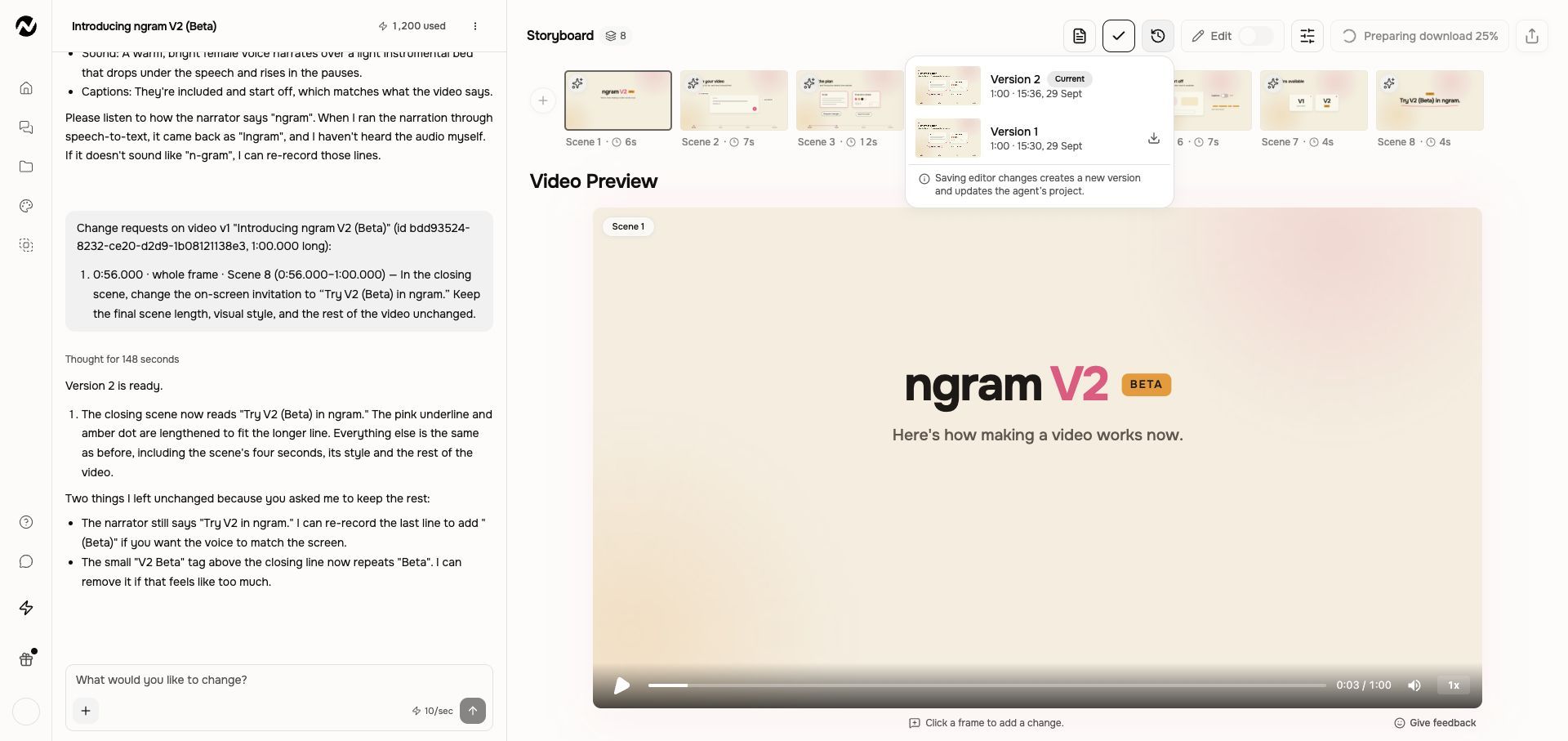
Selecting an output does not restore it as an editable project state. Do not assume V1 fork, undo, or full-editor-copy behavior also applies in V2.
If an earlier result is missing
Confirm you opened the original conversation and that it has more than one generated output. Keep the conversation link when contacting Support so they can identify the work.
V1 workflow
The instructions and screenshots below apply to V1 projects. In V2, use the workflow above; the same direct editing controls may not be available.
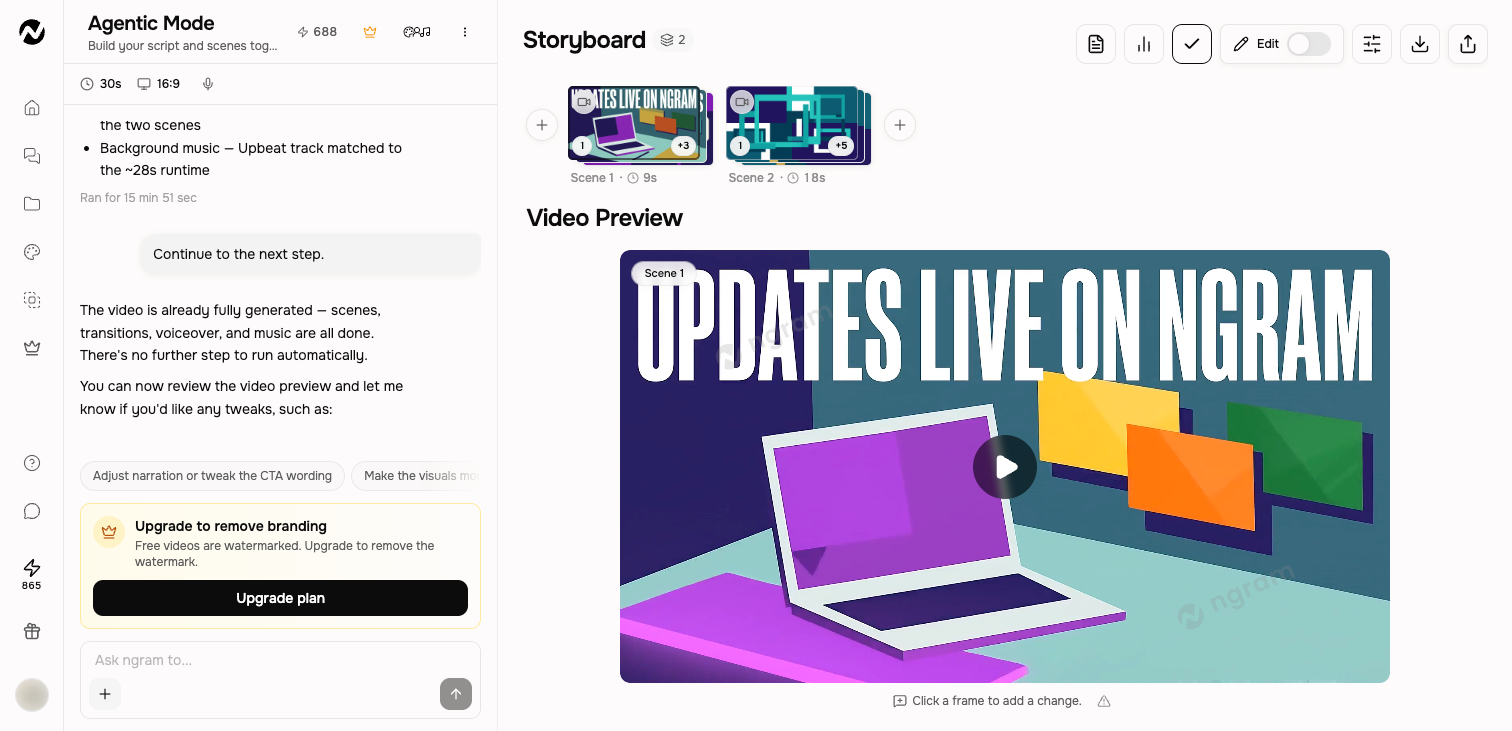
Use this when
Use this guide when you want to preserve two creative directions, inspect or download an earlier render, undo later conversation turns, or understand why an editor copy does not match its source conversation. It also explains what is—and is not—recoverable after an unwanted edit.
Versions is a view-and-download gallery, not a restore or revert control. Opening or downloading an earlier render does not make it the active editable version.
Before you start
Open the exact conversation from Projects and identify whether you are in the original, a fork, or a full-editor copy. Rename similar projects before making another major change. Use a fork before experimenting when Fork from here is available; do not use Undo until you accept that later turns on the current branch will be removed.
Know what each action does
- Fork from here can appear on eligible completed checkpoints in newer conversations. It starts a new conversation branch and leaves the original intact.
- Undo to this point can appear on an eligible earlier checkpoint. It rewinds the current branch and discards its later turns; it is not offered on the latest completed point.
- Versions appears in the conversation top bar when that conversation has at least two rendered versions. It shows each render newest first with a thumbnail, duration, and timestamp; you can preview or download one without changing the current session.
- Open in editor creates an independent full-editor copy. Later conversation edits and editor-copy edits do not synchronize.
Preview or download an older render without changing current work
Open Versions in the conversation top bar, select the earlier render by its thumbnail and timestamp, and preview or download it. That action does not disturb the current session and does not restore the older render as the editable version.
Choose safely
- Fork before a major change when you may want both creative directions.
- Use undo only when you intend to remove the later turns from the current branch.
- Use Versions to preview or download an earlier render. Do not expect that action to create an editable branch or change the current version.
- Open in editor only when you need timeline-level manual control and are ready to maintain a separate copy.
- Rename the resulting projects so the conversation, fork, and editor copy are easy to distinguish in Projects.
Whole-script rewrites
When a storyboard or video already exists, a whole-script rewrite can affect most of the project. Asking the agent for a broad rewrite now runs in place in the same conversation, with a confirmation dialog first, so you don't lose the surrounding context by forking. Changing the narration or voice cast on an existing storyboard still starts a fork so you can compare directions. Use a normal targeted revision when only a few lines or scenes need to change.
If the version you expect is missing
Confirm the conversation has at least two completed renders, then check the original conversation, its forks, and any separately named editor copy. Reopen the exact conversation once from Projects. If Versions is still missing, an expected render is absent, or Undo removed work and no fork or saved copy exists, stop and contact Support; recovery is not guaranteed.
Expected result
A fork remains editable without altering the original branch; Undo rewinds only the current branch; Versions opens an earlier render for preview or download without disturbing current work; and Open in editor creates a separately saved project that no longer synchronizes with the conversation.
Contact Support when work is missing
Do not keep undoing, forking, or regenerating when a render or set of turns is missing. Send Support the original project URL, approximate time of the missing work, last visible version or error, browser, the names of any forks or editor copies, whether you reopened the conversation once, and whether Usage shows a credit change. Keep every related project until the review is complete.
Versions and copies FAQ
In V1, can I restore or revert to an older version?
No. Versions lets you preview and download an earlier render, but it does not make that render the active editable version. Use a fork before major changes when the action is available.
In V1, why can’t I see the Versions button?
Versions appears in the conversation top bar after that conversation has at least two rendered versions. Confirm you opened the exact original conversation rather than a similarly named fork or editor copy.
In V1, where can I download an older render without changing my current work?
Open Versions in the conversation top bar, choose the earlier render by its thumbnail and timestamp, then preview or download it. This does not disturb the current working session and does not restore the render as the active editable version.
In V1, what happens when I use Undo to this point?
Undo rewinds the current branch to an eligible earlier checkpoint and discards its later turns. Use it only when you intend to remove those turns; create a fork first when you may need both directions.
In V1, why doesn’t my full-editor copy include later conversation changes?
Open in editor creates an independent project. It does not synchronize with later conversation edits, and changes in the editor copy do not flow back to the conversation.
Keep going
- Manage projects, conversations, and Tool results — Find, reopen, filter, rename, and delete work in the current Projects experience.
- Revise a generated video — Choose between chat revisions, frame-specific requests, inline editing, and a full-editor copy.
- Use the full video editor — Understand the full editor and how it differs from inline agentic editing.
- Fix a prompt that missed the brief — Diagnose a weak result and improve the prompt, sources, storyboard, or targeted revision.
- Use Help and contact Support — Choose the right help channel and include useful, privacy-safe diagnostic details.
Continue in ngram
Open the relevant Studio surface and follow the current controls shown in your account.
Was this helpful?
Still need help? Ask the team